 English

Fortnite Skin Gifting Guide for 2026
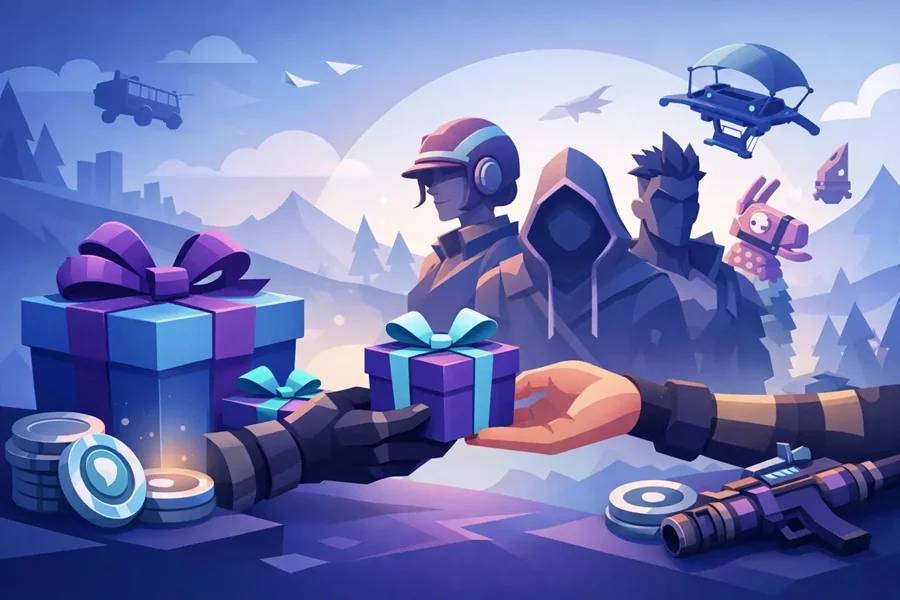
Want to send a skin without wasting V-Bucks or getting blocked by a basic account setting? This Fortnite skin gifting guide covers the exact rules that matter, the common reasons gifting fails, and the smartest way to handle it if you want a fast, clean gift with no surprises.
How Fortnite skin gifting works
Fortnite lets you gift select Item Shop cosmetics directly to another player. That usually includes skins, emotes, pickaxes, wraps, and bundles that are marked as giftable in the shop. You buy the item with your own V-Bucks, choose a friend from your Epic friends list, add a short message, and send it.
The key detail is that gifting is tied to the Item Shop, not to every cosmetic in the game. Battle Pass rewards, many limited items, some collaboration products, and previously owned cosmetics usually cannot be sent. If the gift icon is missing, it is not available for gifting, even if it is live in the shop.
For deal-focused players, this matters because gifting is really about timing. If a skin rotates out of the shop, you cannot gift it later unless it returns.
Fortnite skin gifting guide: what you need first
Before you even load up the Item Shop, your account has to meet Epic's basic gifting requirements. These are the checks most people run into:
Two-factor authentication must be on
Epic requires 2FA for gifting. If it is not enabled, the gifting option will not work. This is a security rule, and it is one of the biggest reasons players get stuck at checkout.
You need enough V-Bucks
You cannot split payment methods when gifting an Item Shop cosmetic through Fortnite. If a skin costs 1,500 V-Bucks, you need the full amount ready in your balance before you send it.
The recipient must be your friend long enough
Epic generally requires you to be friends with the recipient for at least 48 hours before you can send a gift. That waiting period cuts down on abuse and stolen-account gifting.
The recipient cannot already own the item
If they already have the skin or cosmetic, the gift will fail. Fortnite checks ownership before delivery.
Daily gifting limits apply
Epic places limits on how many gifts you can send per day. If you are trying to send multiple items during a big shop refresh, keep that cap in mind.
These rules are simple, but they create a lot of failed gift attempts. Most problems are not bugs. They are eligibility checks.
Step-by-step: how to gift a skin in Fortnite
Open Fortnite and head to the Item Shop. Find the skin or bundle you want to send, then select it as if you were buying it for yourself. If the item is eligible, you will see a Gift option next to the regular purchase button.
Choose Gift, then pick the friend who should receive it. If their name does not appear, one of the account requirements is probably not met. Add your optional message, confirm the purchase, and the V-Bucks will be deducted from your account.
That is the whole process, but the real decision is what to gift. A 1,200 V-Buck skin might look like a better deal than a 2,000 V-Buck collab skin, but bundles often give better value per item if the recipient likes the full set. If you are buying for someone who only wants the outfit, a cheaper single skin can be the smarter move.
How much does skin gifting cost?
There is no extra gifting fee inside Fortnite. You pay the listed Item Shop price in V-Bucks, nothing more. So if a skin costs 800, 1,200, 1,500, or 2,000 V-Bucks, gifting it costs exactly that amount.
The catch is how you fund those V-Bucks. If you are topping up just to send a gift, the best value usually comes from buying the right V-Bucks amount the first time. Overspending on a bigger pack than you need leaves extra currency sitting in the account, which is fine if you play often, but not great if you only log in to send one gift.
That is why many players compare V-Bucks pricing or look for discounted gift card options before gifting. If you are trying to keep spending tight, planning the exact cosmetic and V-Bucks amount matters more than people think.
Why Fortnite gifting sometimes does not work
A lot of players search for a Fortnite skin gifting guide because the feature looks simple but fails for random-seeming reasons. Usually, the reason is predictable.
The most common issue is 2FA not being enabled. After that, it is usually the 48-hour friend requirement, not enough V-Bucks, region or account restrictions, or the fact that the item simply is not giftable. Sometimes the recipient already owns the cosmetic through a previous purchase or bundle, which blocks the gift.
There are also temporary store-side issues during major events or heavy traffic. If a new collab drops and the shop is busy, delays can happen. In that case, check again before buying extra currency or trying workarounds.
Is gifting a skin better than sending V-Bucks?
It depends on what you are trying to do.
If you know exactly which skin your friend wants and it is in the shop right now, direct gifting is fast and clean. It removes guesswork, and the item arrives immediately if everything goes through.
If you are not sure what they want, gifting V-Bucks or a platform gift card can be the better value move. That gives them freedom to wait for a future shop rotation, grab a Battle Pass, or combine the balance with existing V-Bucks. For deal-seekers, flexibility can be worth more than speed.
The trade-off is that direct gifting feels more personal, while V-Bucks are more practical. Neither option is automatically better.
Smart buying tips before you gift
If you are gifting often, think like a buyer, not just a player. Check the exact shop item first, confirm the recipient does not own it, and make sure your V-Bucks balance covers the full price. That avoids the classic mistake of buying too little currency and needing a second top-up.
It is also worth paying attention to bundles. Some look expensive up front but offer much better per-item value than buying pieces separately. On the other hand, bundles are bad value if the recipient only wants one cosmetic from the set.
For younger players or anyone sharing a family console, double-check the correct Epic account before you send. Gift mistakes are hard to reverse once the item is delivered.
Safety tips for gifting without account trouble
Gifting should be straightforward, but account safety matters more when real money or stored balance is involved. Keep your Epic account protected with a strong password and 2FA, and do not share login details just to let someone "pick a skin." That is how accounts get compromised.
Stick to legitimate account funding methods, whether that means buying V-Bucks directly or using trusted digital gift card sources. If a deal looks unrealistically cheap, treat it carefully. Saving money is good. Losing the account is not.
If you are buying digital credit from a marketplace, the basics matter: clear delivery terms, verified support, and a reputation for fast fulfillment. Playnox fits that kind of buyer mindset, especially if you want a quick digital option instead of hunting around at the last minute.
Can you refund a gifted Fortnite skin?
Usually, no in the normal refund-token sense. Standard cosmetic return rules are more limited for gifts, and gifted items are not something you should assume can be reversed easily. That is why accuracy matters before you confirm the purchase.
Make sure the friend is correct, the item is the right one, and the recipient actually wants it. Gifting in a rush is where most regret starts.
Best times to gift skins
The best time is when the skin is newly back in rotation and you know the recipient wants it. Popular cosmetics can disappear fast, and waiting for a better moment sometimes means missing the window altogether.
Season launches, collaboration events, holiday shops, and major updates are usually the busiest gifting periods. They are also the moments when players are most likely to want something specific right away. If your goal is value, watch for bundles and event sets. If your goal is impact, gift the skin while the hype is fresh.
Should you gift now or wait?
If the skin is live, giftable, and exactly what your friend wants, waiting usually does not help. Fortnite shop rotations are unpredictable enough that hesitation can cost you the chance.
If you are unsure about the skin, the recipient's taste, or your V-Bucks budget, waiting is smarter. In that case, flexible store credit or V-Bucks can be the safer buy.
A good gift in Fortnite is not just about sending something fast. It is about sending the right item, at the right price, without creating account headaches. That extra minute of checking is usually what saves the money.