 English

How to Edit a PDF Without Adobe Acrobat (2026 Guide)
The Practical Guide to Editing PDFs in 2026: Ditch the Subscription
If you are tired of paying monthly fees for bloated software just to make minor edits, you aren’t alone. Adobe Acrobat has long been the industry standard, but in 2026, it is no longer the only way to manage your files.
Whether you need to redact sensitive business data, combine reports, or perform OCR on a scan, there are more secure and cost-effective ways to get the job done.
The Hidden Risk of "Free" Online PDF Editors
A quick search for "edit PDF" will lead you to dozens of free online tools. While they seem convenient, they present a significant data privacy risk.
-
Security Concerns: When you upload a document to a free online editor, you are often storing that file on a third-party server.
-
Privacy Risks: Sensitive business documents, legal contracts, and personal records should never be uploaded to unsecured websites.
-
The Professional Alternative: Switching to local, installed software like Nitro PDF or pdfMachine ensures your data stays on your machine, not in the cloud.
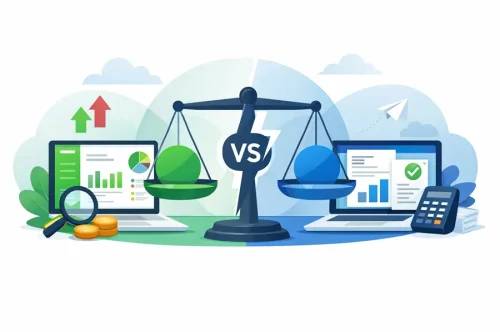
Comparison: Free Tools vs. Professional Software
| Feature | Free Online Editors | Professional Software (e.g., Nitro PDF/pdfMachine) |
| Data Security | Low (Cloud-based) | High (Local/Offline) |
| Editing Power | Limited/Basic | Advanced (OCR, Redaction, Forms) |
| Pricing | Often "Free" (Ads/Upsells) | One-time License/Perpetual |
| Reliability | Variable | Professional Grade |
Why Professional Tools are Better for Business
In 2026, professionals need tools that offer more than just basic text changes. If you are handling enterprise software licenses, you need reliability and security.
1. Advanced Redaction
Unlike basic text editing, professional tools allow for permanent redaction. This ensures that sensitive information is actually removed from the file, not just covered by a black box that can be easily removed.
2. OCR (Optical Character Recognition)
If you have a scanned document, you need the ability to make that text searchable and editable. Professional software handles complex layouts and multi-page scans far more accurately than web-based tools.
3. Lifetime Value
Subscription fatigue is real. By moving to a professional, license-based model for software like Nitro PDF or pdfMachine, you gain full ownership of your tools without the recurring monthly costs.
Choosing the Right Tool for Your Workflow
When looking for a permanent solution, focus on your specific needs:
-
For Enterprise Migration: Tools like EaseUS Todo PCTrans Technician are excellent for moving your environment to a new PC, but for daily document tasks, keep a dedicated PDF editor as a core part of your utility suite.
-
For Security: Always prioritize software that works offline. This eliminates the middleman and keeps your information private.
Conclusion: Take Control of Your Documents
You don’t need the most expensive subscription to handle your professional documents. By choosing verified, robust software, you can edit, sign, and secure your files with confidence.
Ready to upgrade your workflow?