 English

How to Activate Software Licenses Fast
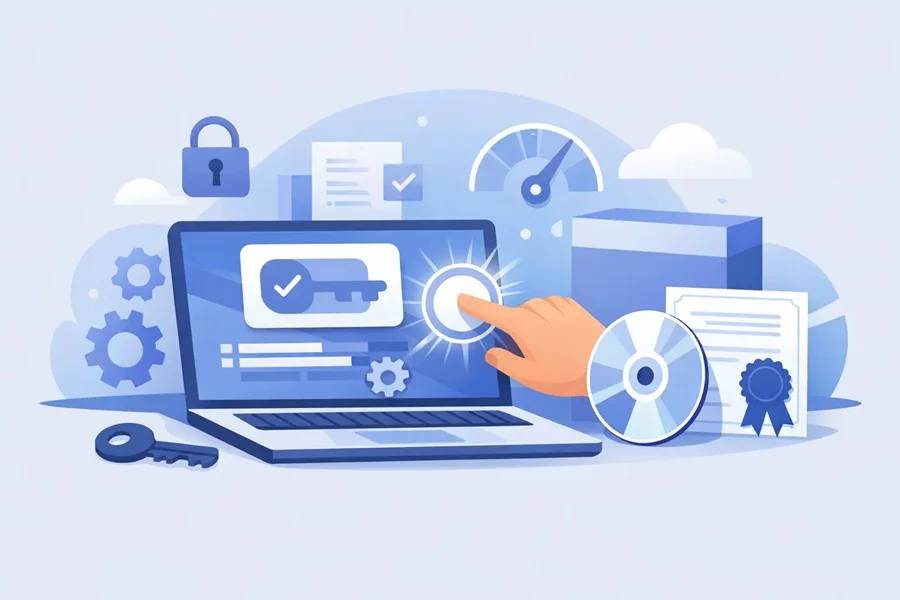
A software key that will not activate is one of the fastest ways to turn a good deal into a bad afternoon. Usually, the problem is not the license itself. It is the activation method, the account you signed into, the product version, or a region and platform mismatch. If you are trying to figure out how to activate software licenses without wasting time, the goal is simple - match the code to the right product, redeem it in the right place, and check a few details before assuming anything is broken.
For deal-focused buyers, that matters. Discounted software can save a lot, but only if you know what kind of license you bought and how it is meant to be used. A Microsoft Office key does not activate the same way as an antivirus subscription, and Adobe-style app access often works through account assignment rather than a traditional serial code.
How to activate software licenses the right way
The first thing to check is what you actually purchased. Software licenses usually fall into a few common types: product keys, account-based subscriptions, activation codes redeemed inside the app, and platform-bound digital licenses tied to a vendor account. Those sound similar, but the activation steps can be completely different.
A standard product key is usually a 20 to 25-character code. You either enter it on the publisher's redemption page or inside the software after installation. This is common for Microsoft products, many antivirus tools, and some utility apps. If you paste the key into the wrong place, it may show as invalid even when the code itself is fine.
Account-based software is different. Some products are activated when the license gets attached to your email account. In that case, there may be no visible key at all, or the key is only used once on the publisher site to add the subscription to your account. After that, activation happens when you log in to the app with the same email.
That is why the product page matters. Before redeeming anything, confirm the software name, edition, operating system, license duration, number of devices, and whether it is for new users only or also works on existing accounts. A cheap key is only a good value if it matches your setup.
Before you enter the code
A lot of activation failures happen before the code is ever submitted. The most common mistake is buying the wrong edition. Office Home and Business, Office Professional, Microsoft 365, Adobe Acrobat, and antivirus suites can look similar at a glance, but they are not interchangeable.
Also check whether your software is for Windows, Mac, or both. Some licenses are platform-specific. Others support multiple operating systems but require activation through a single vendor account first. If you skip that account step and try to enter the code directly in the app, activation may fail.
It is also worth checking whether the license is region-restricted. Many digital products are global, but not all. If a product is marked for a specific region or account type, that is not a small detail. It decides whether the code can be redeemed on your account at all.
Finally, make sure you are not trying to activate an older version with a key meant for a newer release, or the other way around. Version mismatch is easy to miss, especially with productivity tools and creative apps that have yearly or subscription-based naming.
The basic activation flow
For most software, the cleanest activation process looks like this: sign in to the correct publisher account, download the exact product version listed in your order, enter the key on the official redemption screen or in the app, then restart the software if needed. If the software still shows trial mode, log out and back in again before doing anything else.
That last step sounds basic, but it fixes a surprising number of activation issues. Many apps do not refresh license status instantly.
Activating common types of software licenses
Microsoft software is one of the most common categories people ask about. Some Office keys are redeemed on a Microsoft account first, and then the apps become available through that account. Others ask for the key during installation. Windows activation is its own process, usually handled in system activation settings. The trade-off here is convenience versus flexibility. Account-linked licenses are easier to recover later, but they also need the right email from the start.
Antivirus software is usually more straightforward. You install the app, create or sign in to an account, and enter the activation code inside the dashboard or on the vendor website. The main thing to watch is device count. A 1-device license and a 3-device license may use the same software installer, but the code determines how many systems you can protect.
Creative software can be trickier. Some products still use serial numbers, while others rely almost entirely on account-based entitlement. If your app says no license found after redemption, the issue is often that you are signed into the wrong account or using the wrong app build.
Business and utility software sits somewhere in the middle. Tools like PDF editors, backup software, and office utilities may activate in-app, through email registration, or through a vendor portal. Read the redemption instructions carefully. Fast delivery only helps if you redeem in the correct place the first time.
Why software keys fail even when they are valid
If you get an error message, do not assume the code is dead. Most activation problems come from one of a few predictable issues.
The first is format errors. It is easy to confuse O and 0, I and 1, or accidentally copy a blank space at the start or end of the key. Paste carefully, and if possible, type it manually once to compare.
The second is account mismatch. You redeemed the code on one account, then opened the software on another. This is especially common with Microsoft, Adobe-style account systems, and antivirus subscriptions shared across devices.
The third is product mismatch. A key for one edition, term, or platform will not activate another. Even when the software name looks close, the backend treats them as different products.
The fourth is prior redemption. Some software codes are one-time use only. If the license was already attached to your account, trying to redeem it again may trigger an error even though the software is active under your profile.
Then there is timing. Occasionally, a newly redeemed license takes a few minutes to sync. If the code was accepted but the app still shows trial access, give it a short window and restart the app or device before contacting support.
What to do if activation does not work
Start by checking the order details against the product you installed. Verify the product name, edition, and supported platform. Then confirm you are signed into the correct vendor account. If the software uses a redemption page, check whether the code was already accepted there.
If the code is rejected immediately, copy the exact error message. That message usually tells you whether the issue is invalid format, region restriction, unsupported version, or prior use. Generic screenshots help less than the actual wording.
If the code was accepted but the app is not activating, the fix is often local. Sign out of the app, close it fully, reopen it, and sign back in. On Windows, running the app as administrator can help in some cases. On Mac, a reinstall may refresh the license check if the app is stuck in trial mode.
When support is needed, speed matters. Contact the seller with the code, your order details, the exact product installed, and the error text. Trusted support can usually resolve genuine mismatches much faster when you provide those basics up front instead of just saying the key does not work.
How to avoid activation problems before buying
If you buy software regularly, prevention saves more time than troubleshooting. Read the title carefully and look for the details that actually affect redemption: platform, edition, duration, number of devices, account requirements, and whether the key is for new or existing users.
It also helps to buy from sellers that clearly separate products by category and version instead of burying the important details. If a listing is vague about activation type, that is a warning sign. Good digital marketplaces make it obvious whether you are getting a product key, account-based access, or a subscription code.
For buyers chasing the cheapest possible option, there is always a trade-off. The lowest price is not automatically the best value if the version is older, region-limited, or only works for first-time users. Cheap and verified is the sweet spot.
One final thing - keep a screenshot or copy of your delivered code and activation instructions after purchase. If you ever reinstall your system or move to a new device, having that info saved can turn a frustrating setup into a five-minute job.
Software activation is usually simple once you know where the license is supposed to live - inside the app, on the publisher site, or on your account. Get that part right, and the rest tends to move fast.