 English

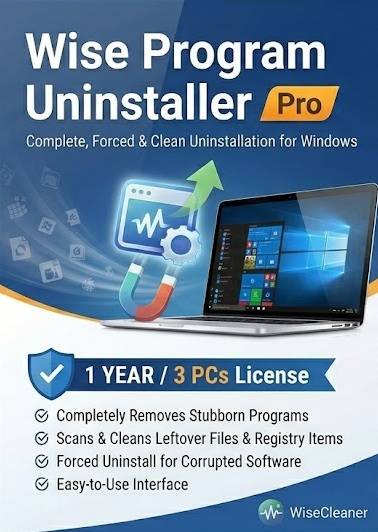

Wise Program Uninstaller Pro – 1 Year / 3 PCs (Global)
Product Description
Wise Program Uninstaller Pro is a professional‑grade Windows utility designed to completely remove unwanted programs, stubborn software, and leftover system files. With a 1‑year global license for up to 3 PCs, this edition provides advanced uninstalling capabilities that go beyond the standard Windows removal tools.
Built for users who want a cleaner, faster, and more stable system, Wise Program Uninstaller Pro offers deep scanning, forced uninstall, and real‑time monitoring to ensure no residual files, registry entries, or hidden components remain. It also includes repair tools, software health checks, and system optimization features to maintain long‑term PC performance.
This edition is ideal for home users, IT technicians, and professionals who need reliable software removal, system cleanup, and performance maintenance across multiple devices.
Key Features
-
Advanced Uninstall Engine — Completely remove programs, including stubborn or corrupted installations.
-
Forced Uninstall — Delete software that cannot be removed through standard Windows tools.
-
Deep Residual Cleanup — Scan for leftover files, registry entries, and hidden components.
-
Software Repair Tools — Fix broken program entries and restore proper functionality.
-
Batch Uninstall — Remove multiple applications at once to save time.
-
1‑Year / 3‑PC License — Activate the Pro version on up to three Windows devices.
-
System Optimization — Improve PC performance by removing bloatware and unnecessary components.
Platform Details
Platform: Windows Region: Global
License Type: 1‑Year Subscription
Devices: Up to 3 PCs
Delivery: Digital software license code
How to Download & Activate Wise Program Uninstaller Pro
Retrieve Your License Key: Locate the activation code included in your digital dashboard or order confirmation.
Download Installer: Download the official Wise Program Uninstaller Pro setup package from the WiseCleaner website.
Run Setup: Launch the installer and follow the on‑screen instructions to complete installation.
Enter License Code: Open the program, go to the activation section, and enter your software license code to unlock the Pro version.
Finalize Activation: Ensure your PC is connected to the internet so the system can validate your 1‑year, 3‑device license.
No reviews found!






No comments found for this product. Be the first to comment!