 English

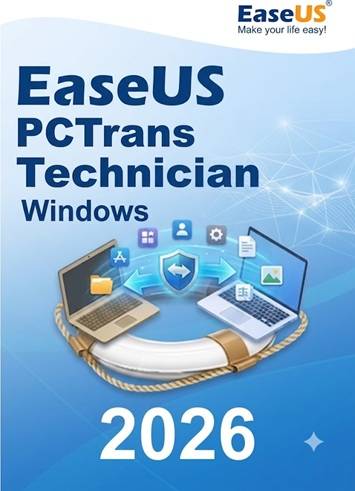

EaseUS Todo PCTrans Technician 2026 – Lifetime Activation Key (Global)
Product Description
EaseUS Todo PCTrans Technician 2026 is the ultimate, enterprise-grade migration solution built specifically for IT professionals, managed service providers (MSPs), and business administrators. Designed for those who require high-level control over system transitions, this edition provides the professional tools necessary to deploy, move, and rescue data across Windows systems with precision and security.
This powerful utility automates the complex process of moving installed applications, user profiles, domain accounts, and personalized settings between Windows systems. Whether you are performing a mass deployment, upgrading a fleet of office PCs to Windows 11, or recovering data from a crashed, non-bootable drive, this tool drastically reduces downtime and eliminates the need for tedious manual reinstallation. With this Global Lifetime Activation Key, you gain a permanent, cost-effective asset that scales perfectly with your business’s IT support requirements.
Key Features
-
Unlimited PC Licensing — Professional-grade license allowing for unlimited migrations across your organization or client base.
-
Technician-Level Control — Ideal for IT admins needing to move bulk data, software, and domain settings efficiently.
-
Domain Account Migration — Seamlessly transfer local and domain user accounts, preserving permissions and settings.
-
Data Rescue — Recover and extract critical files, programs, and accounts from dead, corrupted, or non-bootable Windows systems.
-
Flexible Transfer Modes — Support for network transfer, image-based migration (backup/restore), and local disk-to-disk transfers.
-
Application & Key Management — Automatically migrate software and export product keys to ensure all tools are licensed and ready on the new machine.
-
Broad Windows Compatibility — Fully compatible with Windows 11, 10, 8.1, 7, and Windows Server editions.
Why Choose the Technician Edition?
-
Massive Cost Savings — Eliminate per-PC licensing costs for service providers and large-scale enterprise deployments.
-
Business Continuity — Drastically reduce system setup time and end-user downtime during hardware refreshes.
-
Centralized Management — A single tool to handle migrations, cleanup, and data recovery across your entire infrastructure.
-
Commercial Use Rights — Fully licensed for business and service provider environments.
-
Lifetime Utility — A one-time investment that provides permanent value for all your future IT deployment projects.
Platform Details
-
Platform: Windows 11, 10, 8.1, 7 & Windows Server
-
Region: Global
-
License Type: Lifetime Activation (Non-expiring, Commercial Use)
-
Device Limit: 2 PCs
-
Delivery: Digital activation key (instant delivery)
How to Download & Activate EaseUS PCTrans Technician
-
Download: Retrieve the official Technician installer from the EaseUS website.
-
Install: Run the professional-grade installer on your management machine or client PCs.
-
Activate: Launch the application and click the "Activate" button.
-
Enter Key: Paste your lifetime Technician activation key provided in your purchase confirmation.
-
Deploy: You are now ready to begin unlimited migrations, data rescues, and bulk system deployments.
Frequently Asked Questions (FAQ)
Q: Does the "Lifetime" license include major version updates? A: The lifetime key ensures the software remains activated for the version purchased. Please refer to your specific license terms regarding major feature version upgrades.
Q: Can I use this for my IT service business? A: Yes. The Technician edition is specifically designed for commercial use, allowing you to provide migration services to multiple clients using a single license.
Q: Does it handle Windows Server migrations? A: Absolutely. It is fully compatible with Windows Server environments, making it ideal for enterprise server upgrades and office fleet transitions.
Q: Can I move programs between different drives on the same PC? A: Yes. The "Local Transfer" feature allows you to move applications from a full C: drive to a secondary drive (HDD/SSD) without needing to uninstall them.
Q: What if I have a client with a dead computer? A: Use the "Data Rescue" mode. You can connect the client's old hard drive to a working PC and extract their files, programs, and settings effortlessly.
No reviews found!




No comments found for this product. Be the first to comment!