 English

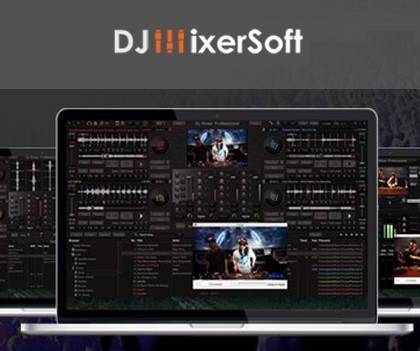

DJ Mixer Professional 3 – Advanced DJ Mixing Software for Windows & Mac
DJ Mixer Professional 3 is a powerful, feature‑rich DJ mixing application designed for professional DJs, music producers, and performers who need reliable tools for live sets, club performances, radio broadcasting, and studio mixing. With support for both Windows and macOS, this software delivers high‑quality audio mixing, real‑time effects, and a smooth workflow suitable for beginners and experienced DJs alike.
Whether you're mixing at home, performing on stage, or producing tracks in the studio, DJ Mixer Professional 3 provides the flexibility and performance you need.
Key Features of DJ Mixer Professional 3
Professional Multi‑Deck Mixing
Mix on 2 or 4 decks with full control over playback, pitch, tempo, looping, and cue points.
Wide Format Support
Compatible with MP3, WAV, AIFF, FLAC, M4A, OGG, and many other audio formats.
Real‑Time Effects and Filters
Apply high‑quality effects such as echo, reverb, flanger, filters, and more during live performances.
Automatic Beat Matching
Sync tracks instantly with advanced BPM detection and beat‑matching algorithms.
MIDI Controller Support
Works with many popular DJ controllers for a hands‑on mixing experience.
Recording and Broadcasting
Record your mixes in high quality or broadcast live to online radio servers.
Drag‑and‑Drop Interface
User‑friendly layout with drag‑and‑drop track loading, waveform displays, and customizable panels.
Built‑In Sampler
Trigger samples, loops, and sound effects during your mix.
System Requirements
Windows:
-
Windows 10 or Windows 11
-
2 GB RAM or higher
-
200 MB free disk space
Mac:
-
macOS 10.12 or later
-
2 GB RAM or higher
-
200 MB free disk space
Developer Information
-
Developer: DJMixerSoft
-
Specialization: Professional DJ and audio mixing software
-
Platforms: Windows & macOS
Release Information
-
Latest version: DJ Mixer Professional 3
-
Supported platforms: Windows & Mac
-
Update status: Actively maintained
How to Activate DJ Mixer Professional 3
Activation is simple and requires a valid license purchased from the official website.
-
Install DJ Mixer Professional 3 on your Windows or Mac device.
-
Open the software and navigate to the License or Activation section.
-
Enter your official license key.
-
Restart the program to unlock all professional features.
This is the only legitimate and supported activation method.
Why Choose DJ Mixer Professional 3
DJ Mixer Professional 3 is ideal for DJs who need a stable, high‑performance mixing solution without the complexity or cost of larger DJ suites. With its intuitive interface, powerful effects, and cross‑platform support, it’s a reliable choice for live performances, studio work, and home mixing.





No comments found for this product. Be the first to comment!